created: 2025-03-30

Better Callouts is an Obsidian plugin that
lets you create, edit, and manage custom callout styles
visually — no CSS knowledge needed. It handles
everything for you, including automatic snippet
generation.
✨ Features
- 🎨 Visual editor for creating callouts
- 🧠 Custom color, text color, and optional border for the callouts
- 💾 Generates valid Obsidian CSS snippets
-
🔄 Automatically keeps
.obsidian/snippets/betterCallouts.cssup to date - ⚡ Templater integration for easy inserting custom callouts in notes
🚀 How to Use
1. Enable the Plugin
-
Go to the plugin folder of your vault:
.obsidian/plugins/(if it doesnt exist yet create the folder) -
Clone my plugin repository into the plugin folder
with this command:
https://github.com/hannesschacherl/better-callouts.git - Enable the plugin in Settings → Community Plugins
-
Add a new Callout (this makes the plugin add
everything to the
CSS-File) - Go to Settings → Appearance Scroll down to CSS-Snippets
-
Enable
BetterCallouts(This applies all styles created by the plugin to your notes)
If you use Obsidian Publish:
-
Add the changes from the
.obsidian/snippets/betterCallouts.cssto yourpublish.cssfile for them to work on the published Obsidian -
I recommend setting up a file watcher that watches
the
.obsidian/snippets/folder and runs a shell script to merge the files into yourpublish.csswhen detecting changes
2. Create a New Callout
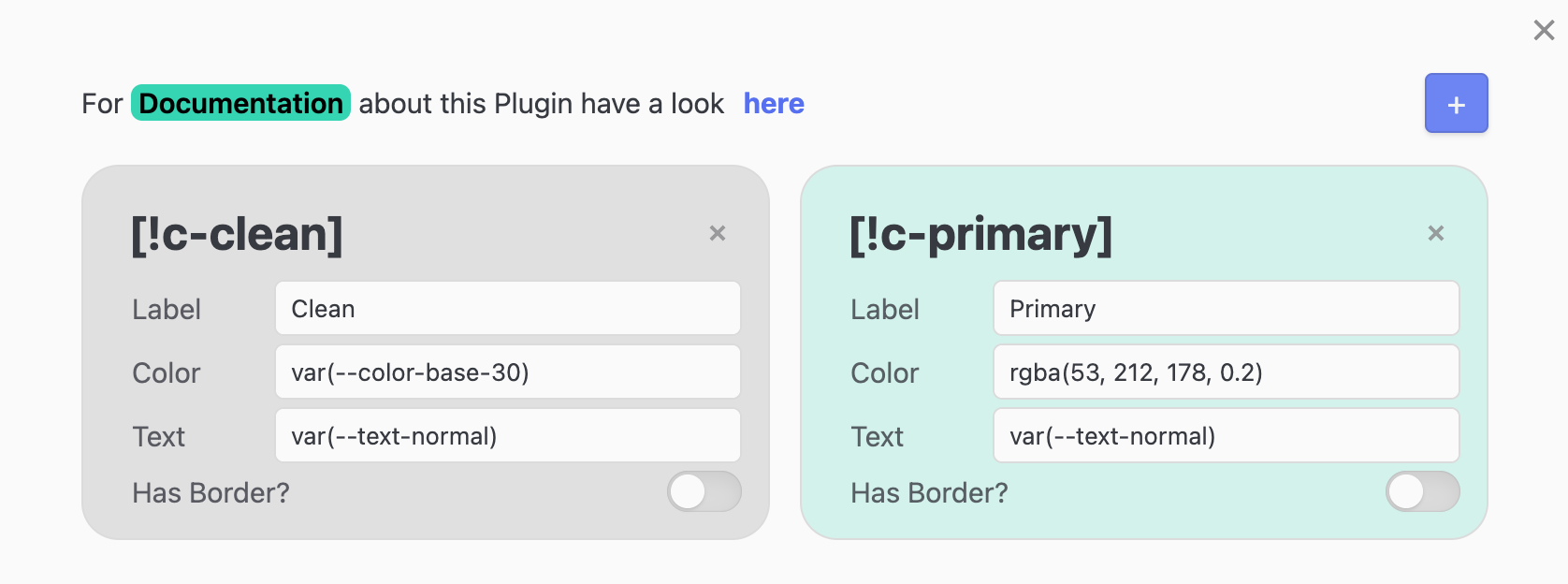
- Go to Settings → Better Callouts
- Click the + button to add a new callout
-
A callout with the name
c-newappears -
Fill out the following fields:
- Label: Name of the callout (e.g. "Warning")
- Color: Background color
- Text: Text color
- Border: (optional) Enable a left border
- Border Color: (only if Border is set to yes) Add a color for the border
- The callout preview will update in real time.
- Your callout will be saved automatically and added to the generated CSS snippet.
- You can use all callouts that are inside your settings just like native Obsidian callouts
Accepted colors:
-
Named colors (e.g.
red,blue,darkgreen) -
HEX values (e.g.
#ffcc00,#123456) -
RGB and RGBA (e.g.
rgb(255, 0, 0),rgba(0, 128, 255, 0.2)) -
HSL and HSLA (e.g.
hsl(200, 100%, 50%),hsla(0, 100%, 50%, 0.5)) -
Obsidian variables (e.g.
var(--text-accent),var(--color-base-40))
if you use something like
var(--some-var) and forget the
closing ) other callouts may stop
working.
Input validation is planned for the future but
currently not active.
3. Where Is everything?
The Plugin uses the following files:
Vault
├── .obsidian
│   ├── plugins
│   │   ├── better-callouts
│   │   │   ├── data.json
│   │   │   ├── main.js
│   │   │   └── manifest.json
│   ├── snippets
│   │   ├── betterCallouts.css
plugins > better-callouts > main.js:
here is the logic for everything this plugin does
plugins > better-callouts >
                              data.json:
here are all your custom callouts stored
plugins > better-callouts >
                              manifest.json:
tells obsidian information about this plugin
snippets > betterCallouts.css: this
is the automatically generated CSS-File
Inserting templates
Now you've set up the plugin to work for all your custom callouts.
You can insert them into your file using code like this:
> [!c-my-callout] Title
> Content
The Title ([!c-my-callout]) for the
callout you want to add is displayed in the settings
screen of this plugin.
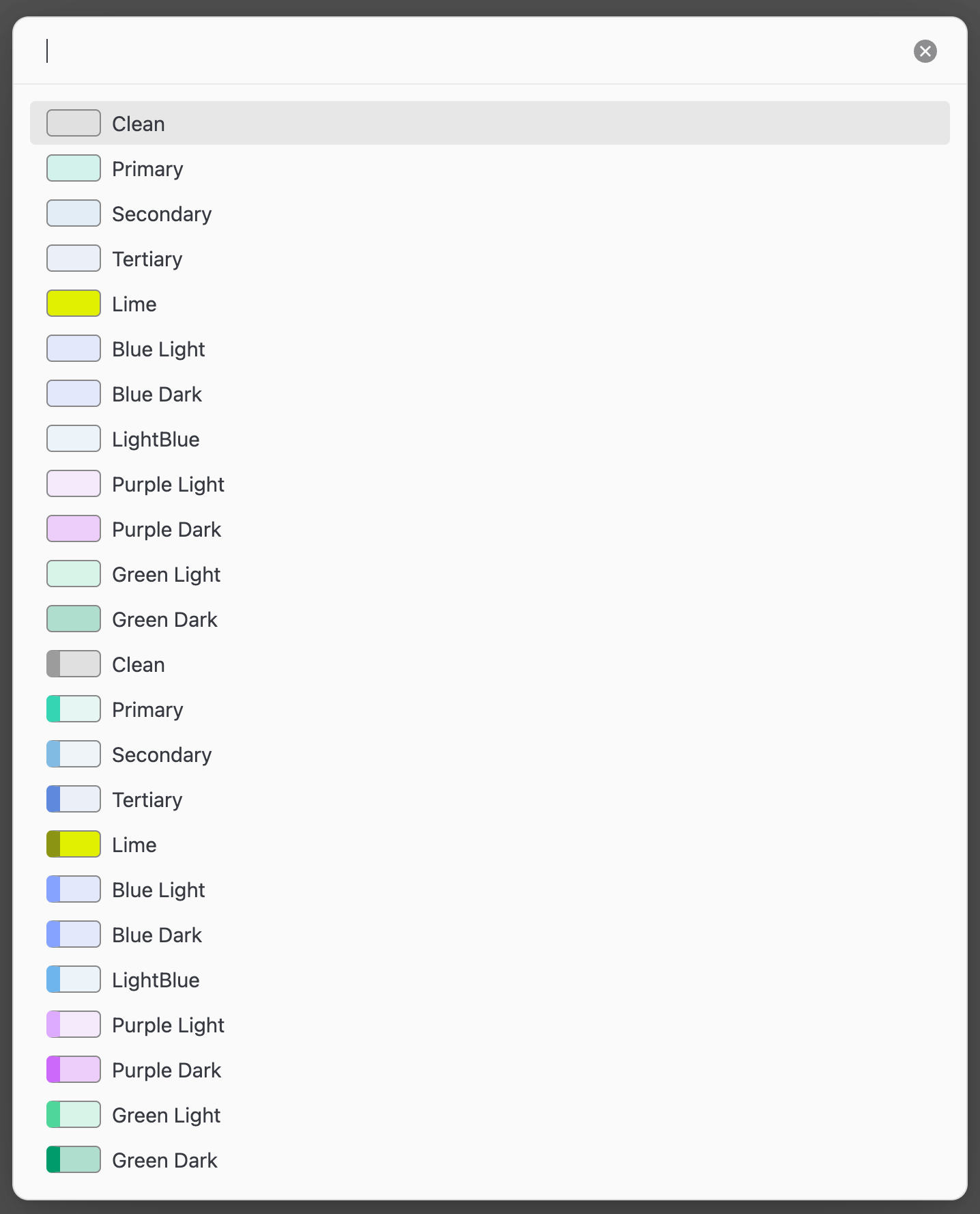
Even better Inserting
If you want an even easier way for inserting the callouts you can:
-
press
CTRL / CMD+P(to open the command palette) -
search for
Better Callouts: Insert better
                                    callout
(only works when in edit mode) - select the callout you want to insert from the modal